How to Charge Your Phone Without Power: Safe Options for Outages
This post may contain affiliate links, full disclosure here.
Quick answer: the most dependable way to charge a phone in an outage is a power bank you charged ahead of time. Backups include a running car parked outdoors, a laptop, a portable power station, a solar panel or a hand-crank radio with a USB port. Stretch whatever charge you have by turning on low power mode, dimming the screen, and texting instead of calling. Never run a car or generator in a garage or indoors.
A phone is the flashlight, the radio, the map and the family check-in line all at once. During a long outage, it also becomes the device everyone in the household wants to borrow. Planning how you will keep it alive is one of the cheapest and most useful preparedness steps there is.
The Federal Communications Commission and Ready.gov both list keeping phones and spare batteries charged as a basic step before any expected storm. What they cannot do is tell you which option fits a fourth-floor walk-up with no car, or a suburban house with a garage full of camping gear. This guide sorts the options by how reliable they are, how safe they are indoors, and how much effort they take.

Start Before the Outage: The Charge You Bank Now
Every method in this article works better with a head start. When a storm is in the forecast, charge every phone, power bank, laptop and rechargeable flashlight to full. A device that starts at 100 percent buys a full day or more of careful use, which is often enough to get through a short outage without any extra equipment.
Keep cables where you can find them in the dark. A small zip bag holding one cable for each type of device in the house, plus a car adapter, lives well in your apartment emergency kit. Many households discover during an outage that their only spare cable is the wrong connector.

Power Banks: The Most Reliable Option
A power bank is a rechargeable battery pack with a USB port. Charge it at home, store it, and plug your phone into it when the lights go out. No fuel, no fumes, no sunlight needed. For most apartments, this is the backbone of a phone-power plan.
How much capacity you need
Power banks are rated in milliamp-hours (mAh) or watt-hours (Wh). Your phone’s battery capacity is usually listed in its technical specifications. Some energy is lost as heat while charging, so a power bank delivers less to your phone than its label suggests. A practical way to plan is to buy at least enough capacity to fill each person’s phone two or three times, then test it at home to see how many charges you actually get.
Keeping it ready
Lithium-ion batteries slowly lose charge in storage. Put a reminder on your calendar to top up power banks every few months and after each use. Store them in a cool, dry place, not a hot car or a sunny windowsill. A bank that has been sitting in a drawer for a year may be half empty right when you need it.
Buying and charging safely
The U.S. Consumer Product Safety Commission has warned about lithium-ion battery fires from overheating, damage and poorly made products. Buy from reputable sellers, look for a certification mark from a recognized testing laboratory such as UL, and stop using any battery that swells, smells odd, gets very hot or is visibly damaged. Charge on a hard surface rather than a bed or couch, and avoid charging overnight where you cannot notice a problem.
Charging From a Car, the Right Way
A car is a large battery on wheels, and a 12-volt USB adapter turns it into a phone charger. The catch is safety. The CDC warns that carbon monoxide from a running engine can build up to deadly levels in enclosed spaces, and a car should never be run inside a garage, even with the garage door open.
Follow these steps:
- Park outdoors in an open area, away from windows, doors and vents of buildings.
- Make sure the tailpipe is clear of snow, mud or debris, which can push exhaust into the cabin.
- Run the engine while charging rather than draining the battery with the engine off.
- Stay alert, and get out of the car right away if anyone feels dizzy, sick or sleepy.
Short charging sessions with the engine running work well. Leaving accessories on with the engine off can drain the starter battery and leave the car stuck exactly when you may need it to evacuate. Add a car adapter and cable to your car emergency kit so the option is always there.
Solar Chargers, Hand Cranks and Power Stations
These options trade convenience for independence. None of them depends on a stored charge running out, though each has limits worth knowing.
Solar panels and solar power banks
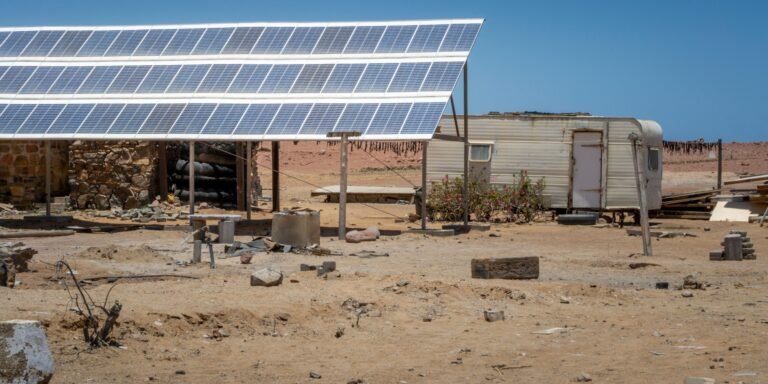
Folding solar panels with a USB port can charge a phone directly in strong sunlight. Small solar power banks, with a panel built into the case, charge very slowly from the sun and work best as a top-up rather than a main source. Output drops sharply in clouds, shade or the low light of winter. Apartment dwellers can get decent results from a south-facing window or balcony, though glass reduces output somewhat. Set realistic expectations: after a hurricane, the first few days may be overcast.
Hand-crank radios with USB ports
Emergency weather radios often include a hand crank, a small solar panel and a USB port. Cranking produces only a trickle of power, enough to add a few minutes of talk time or send texts, not to fill a battery. Their real value is the radio itself, which keeps receiving NOAA Weather Radio and local broadcasts when cell service and the internet go down.
Portable power stations
Power stations are large lithium battery packs with standard outlets and USB ports. Many can charge phones dozens of times, run a small fan, or power a CPAP machine for a night, depending on capacity. They produce no exhaust and can be used indoors, which makes them a strong fit for apartments. They are heavier and more expensive than power banks, and like any battery, they need to be recharged before an emergency and topped up periodically.
Generators
A gas or propane generator will charge phones easily, but it carries serious carbon monoxide risk. The CDC says to run generators outdoors only, at least 20 feet from doors, windows and vents, and never in a home, garage, basement, crawlspace or partly enclosed area. Install battery-operated carbon monoxide alarms. Renters in multifamily buildings should check building rules, since many prohibit generators on balconies for exactly this reason.

Other Devices That Can Share Their Power
Look around before buying anything. A laptop with a charged battery can charge a phone through its USB port, usually even while the laptop is asleep, depending on its settings. Tablets with USB-C ports can sometimes charge a phone too. An e-bike or e-scooter battery may have a USB output, as do some cordless tool battery adapters sold by tool makers.
Public charging is another option once you can travel safely. Libraries, community centers and emergency shelters often offer charging during long outages, and utilities or relief organizations sometimes set up charging stations after major storms. Bring your own cable and a power bank so you can charge two things at once.
Matching the setup to your home
Apartment dwellers without a car get the most from power banks and a modest power station, since both are safe indoors and fit in a closet. Add a solar panel only if there is a balcony or window that gets several hours of direct sun.
Households with a car parked outside have an extra layer: power banks first, then short charging sessions with the engine running outdoors. Families with medical devices, such as oxygen concentrators or CPAP machines, have different needs entirely. Ask the device supplier how long the unit runs on battery and what backup they recommend, and tell your utility. Many power companies keep a list of customers who rely on electrically powered medical equipment, though being on that list does not guarantee faster restoration.
Whatever the setup, test it on a calm weekend. Unplug the phone, run it from the backup, and note how long each step takes. Practice turns a pile of gadgets into a plan you trust, and it reveals the missing cable or dead battery while stores are still open.

Make Every Percent Last
Saving power is the cheapest charger of all. A few settings changes can double how long a phone lasts:
- Turn on low power mode or battery saver, which reduces background activity and screen brightness.
- Lower screen brightness manually and shorten the auto-lock time.
- Close apps you are not using, especially games, video and navigation.
- Switch off Bluetooth and Wi-Fi when you do not need them. Wi-Fi is often useless anyway once the router loses power.
- Turn on airplane mode in areas with weak or no signal, since a phone searching for a tower burns battery fast. Turn it off at set times to check messages.
- Keep the phone warm in cold weather, such as in an inside pocket, because cold drains lithium batteries faster.
Change how you communicate, too. The FCC recommends texting rather than calling during and after disasters, because texts take less network capacity and are more likely to get through when networks are busy. Texts also use far less battery than calls or video. Keep calls short, and save streaming for when power returns.
Agree on a check-in schedule with family, such as one text at 8 a.m. and one at 8 p.m., instead of constant messages. Our guide to making a family emergency communication plan explains how to pick an out-of-area contact and write numbers down on paper, so a dead phone does not mean a lost connection.

When the Phone Is Down to the Last Few Percent
Prioritize. Send one text to your designated contact with your status and plan. Write down any important numbers on paper. Save the remaining battery for emergencies.
The FCC requires wireless carriers to deliver 911 calls, so in an emergency, call 911 even if your phone shows a weak signal. Text to 911 is available in many areas, and the FCC’s advice is to call if you can and text if you cannot. A text-to-911 attempt in an area without the service will bring an automatic bounce-back message telling you to call instead.
For longer outages, combine methods. A power bank covers the first day or two, a solar panel or car session tops it up, and careful settings make each charge stretch. Pair that with the wider steps in our guide to preparing for a power outage in a high-rise, and an outage becomes manageable rather than frightening.

Frequently Asked Questions
Can I charge my phone in my car without the engine running?
You can for a short time, but it drains the car battery. Running the engine while charging is safer for the battery, as long as the car is outdoors in an open area and never in a garage, because of carbon monoxide risk.
Do solar phone chargers actually work?
Folding solar panels can charge a phone in strong, direct sunlight. Small solar panels built into power banks charge very slowly and work best as a supplement. Clouds and shade cut output sharply.
How long does a power bank hold its charge in storage?
It slowly loses charge over months. Top up stored power banks every few months and keep them in a cool, dry place so they are ready when needed.
Is it safe to use a portable power station indoors?
Battery-based power stations produce no exhaust, so they can be used indoors. Follow the maker’s instructions, keep them ventilated and away from heat, and never confuse them with fuel-burning generators, which must stay outside.
Should I call or text during an emergency?
The FCC recommends texting for non-emergency communication during disasters, since texts are more likely to get through on busy networks. For a true emergency, call 911.