Power Banks for Power Outages: How Much Capacity You Need, Safe Storage and a Charging Plan
This post may contain affiliate links, full disclosure here.
Quick answer: for a one- to three-day outage, plan on one 20,000 mAh (about 74 watt-hour) power bank per adult, which typically recharges a modern smartphone three to four times after conversion losses. Store banks at roughly half charge in a cool, dry place, top them up every few months, and retire any bank that swells, gets hot or smells unusual. Pair power banks with low-power habits: dim your screen, turn on battery saver and send texts instead of calls, which the FCC notes may get through when networks are busy.
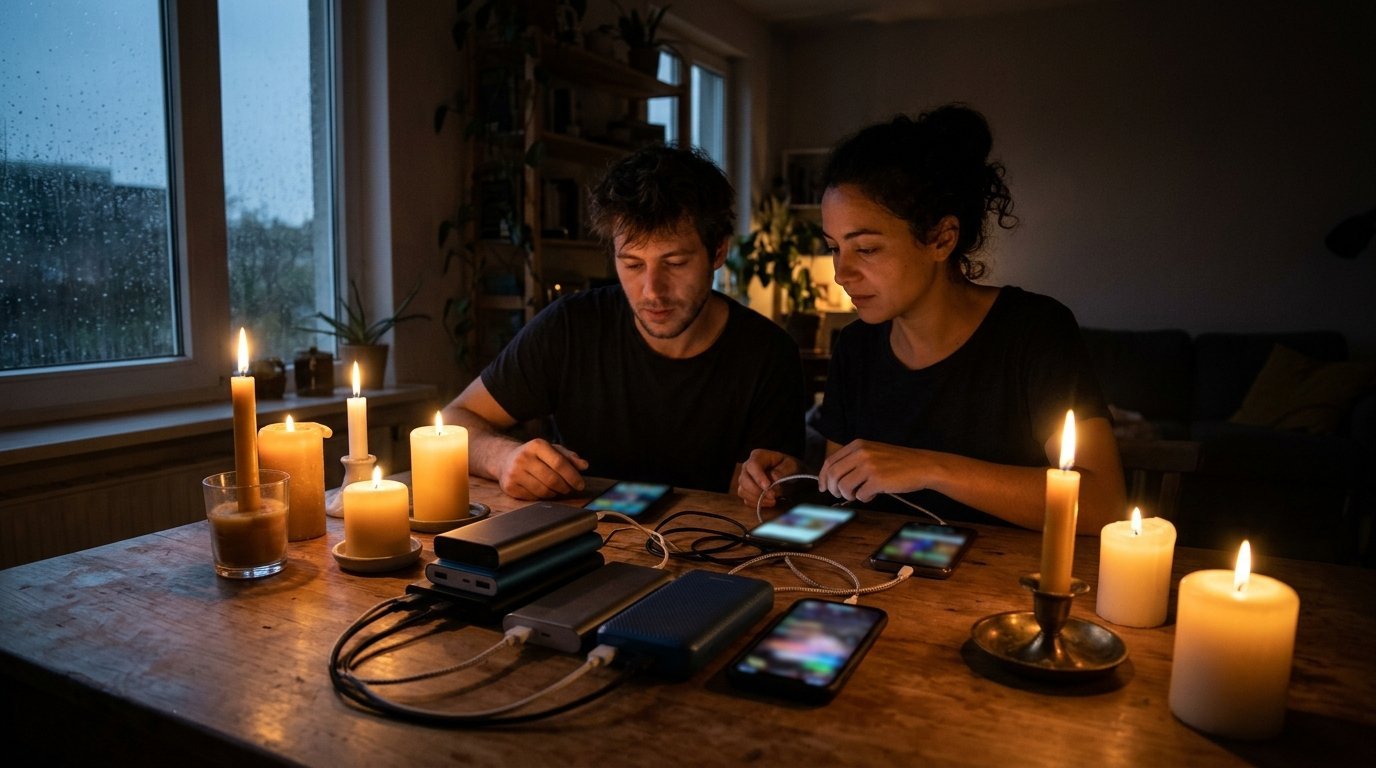
When the power goes out, your phone becomes your flashlight, radio, news source, map and only link to family. Keeping it charged is one of the simplest, cheapest steps in emergency preparedness, and a power bank is the easiest way to do it. Ready.gov, the federal government’s preparedness site, lists cell phone chargers and a backup battery among the items to include in a basic emergency kit.
Power banks are not all equal, though, and the numbers on the box can be misleading. This guide explains how to read capacity ratings, how many charges you can realistically expect, how to size power banks for your household, and how to store and use lithium-ion batteries safely. For bigger loads like refrigerators, medical equipment or space heaters, see our full emergency power guide to backup power options for home outages.
Sources: Ready.gov emergency kit guidance; Federal Communications Commission tips for communicating during emergencies; U.S. Consumer Product Safety Commission lithium-ion battery safety guidance; FAA and TSA rules on spare lithium batteries. Checked October 2026.
Why You Need a Power Bank for Power Outages
In a city apartment, the options for backup power are limited. Gas generators are dangerous indoors and often banned by building rules, and many renters cannot install solar panels. Power banks fill that gap. They are small, silent, safe to use indoors when handled properly, and affordable.
A good power bank setup lets you:
- Keep phones charged to receive emergency alerts and contact family.
- Run LED lanterns, headlamps and small fans that charge by USB.
- Power a portable radio or hotspot for news and updates.
- Charge a laptop or tablet for work or entertainment during a long outage.
Phones are the priority. Wireless Emergency Alerts from the National Weather Service and local authorities reach you through your phone, and a dead battery means missing evacuation orders or boil-water notices.

Battery Capacity: mAh vs Watt-Hours
Power banks usually advertise capacity in milliamp-hours (mAh), such as 10,000 or 20,000 mAh. That figure refers to the internal battery cells, which typically run at about 3.6 to 3.7 volts. Phones, tablets and laptops charge at different voltages, so mAh alone does not tell you how much energy you get.
Watt-hours are the better measure
Watt-hours (Wh) describe stored energy regardless of voltage. To convert, use this formula:
Wh = mAh x volts / 1,000
For a 20,000 mAh bank with 3.7-volt cells: 20,000 x 3.7 / 1,000 = 74 Wh. Most power banks print the Wh rating on the case, partly because airlines and the FAA use watt-hours to set travel limits.
Expect conversion losses
Some energy is lost as heat when the bank raises its voltage to charge your device, and more is lost inside your phone during charging. In practice, a power bank delivers noticeably less than its rated capacity, often around two-thirds. A 74 Wh bank might deliver roughly 45 to 55 Wh to your devices.
| Rated capacity | Approximate Wh | Realistic phone charges | Best use |
|---|---|---|---|
| 5,000 mAh | 18-19 Wh | About 1 | Pocket backup, go bag |
| 10,000 mAh | 37 Wh | About 2 | One person, one day |
| 20,000 mAh | 74 Wh | About 3-4 | One adult, 2-3 days |
| 26,800 mAh | 99 Wh | About 4-5 | Shared household bank, laptops |
Charge counts vary by phone model and battery size, so treat these as estimates.

How Many Power Banks Do You Need for a Power Outage?
Start with your outage goal. Ready.gov encourages households to prepare to be self-sufficient for several days after a disaster. For a three-day outage, a practical plan looks like this.
Step 1: List your essential devices
Write down every device you would need: phones, a hearing aid charger, a tablet a child uses to stay calm, a USB lantern, a portable radio.
Step 2: Estimate daily use
A phone used carefully, with screen brightness down and battery saver on, may need one full charge per day. A USB lantern or fan might use 5 to 10 Wh over an evening, depending on the model and setting.
Step 3: Add it up and add a buffer
Multiply daily needs by the number of days, then add about 25 percent extra for losses and unexpected use.
Example for a two-adult apartment:
- Two phones x 1 charge/day x 3 days = 6 phone charges
- USB lantern: about 8 Wh/day x 3 days = 24 Wh
- Total: roughly 2 power banks of 20,000 mAh, plus a 10,000 mAh bank for the lantern and go bag
A worked example
Suppose two adults each need one full phone charge per day for three days, and a phone battery holds about 15 Wh. That is 2 x 3 x 15 = 90 Wh of device energy. If your power banks deliver about 70 percent of their rated capacity, you need roughly 90 / 0.7 = about 130 Wh of rated capacity, or two 20,000 mAh banks (about 74 Wh each). Add a small bank for a headlamp or radio and you have a realistic household kit.
When to step up to a portable power station
If you need to run a CPAP, a laptop for remote work or a small fridge, power banks are too small. Portable power stations hold hundreds or thousands of watt-hours and have AC outlets. Our guide to solar generators, panels, batteries and realistic run times covers sizing larger systems.
Power Bank vs Portable Power Station
A power bank and a portable power station do the same basic job, storing energy in a battery so you can charge devices later, but they sit at very different points on size, weight and price. For most apartment households, a few power banks cover phones and small electronics, and a portable power station only makes sense if you need to run something bigger, such as a CPAP machine, a small fan or a laptop for several days.
| Feature | Power bank | Portable power station |
|---|---|---|
| Typical Wh capacity | About 20 to 100 Wh | A few hundred to several thousand Wh |
| Weight | Ounces to about 1.5 pounds | Roughly 7 pounds to well over 50 pounds |
| Output ports | USB-C and USB-A | USB-C, USB-A, AC outlets, 12V car port |
| Best for | Phones, earbuds, headlamps, tablets | Medical devices, laptops, fans, small appliances |
| Charge time from empty | Usually a few hours | About 1 to 10+ hours depending on size and input |
| Air travel | Carry-on allowed up to 100 Wh | Most models are over the 160 Wh airline limit |
Usable capacity is less than the label
Both types lose energy when they convert stored battery power into the voltage your device needs. The share you actually get out, sometimes called usable capacity or usable energy, is often around 60 to 80 percent of the rated Wh capacity for small power banks and can be somewhat higher for larger stations, especially when you charge USB devices directly instead of using the AC outlet. Inverters that power AC outlets waste extra energy, so plug phones into USB ports, not a wall charger plugged into the station.
Round-trip efficiency and charge time
Round-trip efficiency describes how much of the energy you put into a battery comes back out. It matters most if you plan to recharge from solar panels during a long outage, because every watt lost means more time in the sun. Charge time depends on the input wattage the unit accepts: a power bank that supports USB-C PD (Power Delivery) fast charging refills far faster than one limited to a slow USB-A input. Check the spec sheet for input watts, not just output.
Battery chemistry
Most power banks use lithium-ion cells because they are light. Many larger power stations use lithium iron phosphate (LiFePO4) cells, which are heavier but are generally rated for many more charge cycles and are considered more thermally stable. For a kit you will store and top up a few times a year, either chemistry works if you buy a certified product and store it correctly.
Which one should you buy?
- Choose power banks if your goal is keeping phones and a radio or headlamp running for a two- to three-day outage.
- Consider a portable power station if someone in your home uses powered medical equipment, or if you need to run a laptop for work through a longer outage.
- Compare models by Wh capacity, output ports, charge time and safety certifications rather than brand marketing or retail price alone.
Home Backup Power Beyond Power Banks
A power bank is the simplest form of backup power, but it only covers USB devices. If you need more, here is how the options compare for home backup power in an apartment:
- Power stations: a portable power station adds AC output, so you can plug in things that need AC power, such as a laptop charger, a small fan or a lamp. Most also include USB ports and 12V vehicle ports. Check battery capacity in Wh and the inverter’s continuous watt rating, which limits what you can run; high-draw items such as space heaters, hair dryers and many power tools are usually beyond smaller units.
- Fuel generators: these produce far more power but release deadly carbon monoxide. The CDC warns never to run a generator inside a home, garage or any partly enclosed space, and to keep it at least 20 feet from windows and doors. That rules them out for most apartment dwellers.
- Car charging: your car’s USB or 12V port can recharge phones and power banks in a pinch, but never idle a car in a closed garage.
Power banks and CPAP machines
Most standard USB power banks cannot run CPAP machines, which typically need a higher-voltage DC input or AC power. Some CPAP makers sell dedicated batteries, and a portable power station can run many models, especially with humidifier heat turned off. Check your device’s manual or ask the manufacturer which battery is approved, and test your setup for a full night before you rely on it.

Features Worth Paying For
You do not need the most expensive bank, but a few features make a real difference in an emergency.
- USB-C Power Delivery (PD). Charges modern phones quickly and can power many laptops and tablets.
- Multiple ports. Lets you charge two or three devices at once.
- Pass-through charging. Lets the bank charge while powering a device, useful when power briefly returns.
- A clear charge indicator. A digital percentage display is easier to read than four small lights.
- Safety certifications. Look for listings from recognized testing laboratories, such as UL, which indicate the product met safety standards.
- Built-in cables. One fewer item to lose.
Solar and hand-crank power banks
Small power banks with built-in solar panels charge very slowly, often taking days of direct sun to refill. They work as a trickle backup, not a main supply. For solar charging, a separate folding panel with a higher wattage is more effective. Hand-crank chargers deliver only small amounts of power, but they can be a useful last resort. Our guide on how to charge your phone without power compares these methods.

Lithium-Ion Safety and Storage
Power banks use lithium-ion batteries, which store a lot of energy in a small space. The U.S. Consumer Product Safety Commission warns that damaged or defective lithium-ion batteries can overheat, catch fire or explode. A few habits reduce the risk.
Buying safely
- Buy from reputable brands and retailers. Very cheap, unbranded banks may lack proper protection circuits.
- Check that the bank shows a safety listing mark from a recognized testing lab.
Look for built-in safety features such as protection against overcharging, over-discharge, short circuits and overheating, and a recognized safety certification mark. These matter more than extra battery capacity.
Charging safely
- Charge on a hard, non-flammable surface, not on a bed, couch or pillow.
- Use the cable and charger recommended by the manufacturer.
- Do not leave banks charging unattended for long periods or overnight in a child’s room.
- Unplug once fully charged.
Warning signs to stop using a bank
The CPSC advises stopping use of a battery if you notice:
- Swelling or bulging of the case
- Unusual heat during charging or use
- A strange odor, hissing or leaking
- Changes in color or shape
Dispose of damaged lithium-ion batteries at a battery recycling drop-off or household hazardous waste site, not in the trash, where they can start fires in garbage trucks and recycling facilities.
Storing banks for emergencies
Lithium-ion batteries slowly lose charge in storage and degrade faster when stored completely full or completely empty in hot conditions. Many manufacturers recommend storing banks partly charged, often around half, in a cool, dry place away from direct sun. Set a calendar reminder every three months to check and top them up, and fully charge them when a storm is forecast.
Your Outage Charging Plan
A plan turns power banks from a gadget into real preparedness.
Before an outage
- Fully charge all banks when severe weather is forecast.
- Charge phones, tablets and laptops to 100 percent.
- Download offline maps and save important phone numbers on paper.
- Sign up for local emergency alerts through your city or county.
During an outage
- Turn on battery saver or low power mode.
- Lower screen brightness and close unused apps.
- Switch off Bluetooth, Wi-Fi and location services when not needed.
- Send texts instead of making calls. The FCC recommends texting during emergencies because text messages may go through when voice networks are congested.
- Charge devices when they reach about 20 to 30 percent, not before.
- Assign one bank per person so everyone knows what is theirs.
Plan for communication
Charging is only half the plan. Agree on who to contact and how. Our guide to making a family emergency communication plan walks through out-of-area contacts, meeting places and text templates.

Common Power Bank Mistakes to Avoid
Small oversights can leave you with a dead bank exactly when you need it.
- Buying once and forgetting. A bank bought two years ago and never recharged may be nearly empty, or degraded, when the lights go out.
- Packing the wrong cables. Keep a short USB-C cable and any adapter your household needs with each bank, and test them before storm season.
- Overestimating capacity. Plan around realistic output, about two-thirds of the rated figure, not the number on the box.
- Keeping every bank in one place. Store one in the go bag, one in the kitchen kit and one by the bed so you can find power in the dark.
- Draining banks on non-essentials. Streaming video for hours on the first night can leave nothing for alerts and calls on day three.
- Ignoring older family members’ devices. Hearing aids, medical alert pendants and e-readers may need their own chargers or adapters.

Power Banks for High-Rise and Apartment Residents
City dwellers face specific challenges during outages: elevators stop, hallways go dark and you may not be able to leave easily. Power banks are especially valuable when you are sheltering in place on a high floor.
- Keep a small bank by the door. Grab it if you need to leave and walk down many flights.
- Pair banks with USB lanterns. Hallways and stairwells can be completely dark.
- Know where to recharge. Libraries, community centers and cooling or warming centers often open charging stations during long outages; check your city’s emergency management page.
For more on preparing a tall building home, see our guide on how to prepare for a power outage in a high-rise.

Traveling and Evacuating With Power Banks
If you evacuate by plane, know the rules. The FAA and TSA require spare lithium batteries, including power banks, to be carried in carry-on baggage, not checked bags. Batteries up to 100 Wh are generally allowed; those between 100 and 160 Wh require airline approval; and larger batteries are generally not allowed on passenger aircraft. Most power banks under 27,000 mAh fall below 100 Wh, but check the label.
For road evacuations, keep power banks out of direct sun and away from hot dashboards, since high heat can damage lithium-ion cells.

Frequently Asked Questions
What size power bank do I need for an emergency?
For most adults, a 20,000 mAh (about 74 Wh) power bank provides roughly three to four smartphone charges, enough for two to three days of careful use during an outage. Add more capacity for tablets, lanterns or laptops.
How long do power banks hold a charge in storage?
Power banks slowly lose charge over time. Check stored banks every three months, top them up as needed, and charge them fully when severe weather is forecast.
Can I leave a power bank plugged in all the time?
It is safer to unplug once fully charged. The CPSC advises charging lithium-ion batteries on hard surfaces and not leaving them charging unattended for long periods.
Are solar power banks good for emergencies?
Built-in solar panels on small power banks charge very slowly and are best treated as a backup. A separate folding solar panel with higher wattage is more effective for recharging during a long outage.
Is it safe to use a swollen power bank?
No. Stop using any power bank that is swollen, hot, leaking or smells unusual, and recycle it at a battery drop-off or household hazardous waste site.
What is the difference between a power bank and a portable power station?
A power bank is a small, pocketable battery with USB ports for phones and small devices. A portable power station is a much larger battery, usually with AC outlets, meant for laptops, medical devices and small appliances. Power banks are cheaper and fly in carry-on bags; power stations store far more energy but are heavy and usually too large to fly.
How many watt-hours do I need for a three-day outage?
Add up the Wh your essential devices use per day, multiply by three and divide by about 0.7 to allow for conversion losses. For two people charging phones once a day, that usually lands around 100 to 150 Wh of rated capacity.
What size power bank do I need for a power outage?
For one person, a 20,000 mAh (about 74 Wh) power bank typically gives three to four phone charges, enough for a two- to three-day outage with careful use. Households should plan on one bank per person plus a spare, or calculate total battery capacity from the devices you need to keep running.
Can a power bank power a Wi-Fi router during an outage?
Sometimes. Many routers run on 12V DC, and some power banks have a 12V output or work with a USB-to-12V adapter cable. Check your router’s power input and the bank’s output ratings first. Keep in mind your internet service may also be down during a wider outage.

Sources
- Ready.gov: Build a Kit.
- Federal Communications Commission: Tips for Communicating in an Emergency.
- U.S. Consumer Product Safety Commission: lithium-ion battery safety.
- Federal Aviation Administration and Transportation Security Administration: rules for spare lithium batteries in baggage.
- U.S. Department of Energy: battery and energy storage basics.
- USB Implementers Forum: USB Power Delivery specification overview.